
One of the things families appreciate most about homeschooling is the freedom to shape their children's education. You can adjust the pace, spend more time on a challenging concept, or follow an unexpected opportunity for learning.
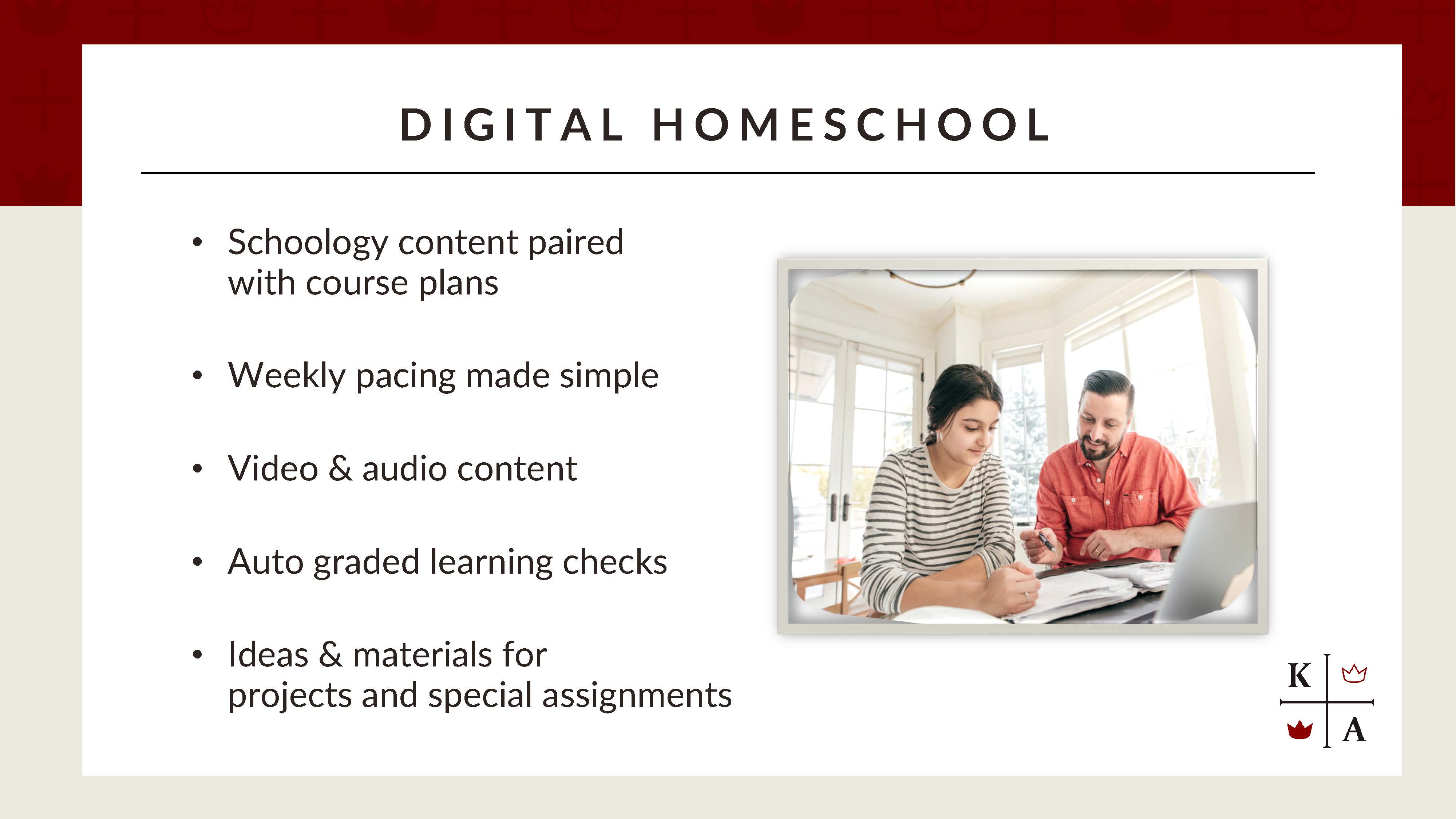
At the same time, that flexibility also comes with responsibility. Between planning lessons, teaching new material, keeping students organized, and grading assignments, there's plenty to manage.
What if you could keep that flexibility while having a few more teaching tools at your fingertips? That's where Kolbe's Digital Homeschool comes in.
In Part 1 of this series, we explored how Kolbe's Homeschool Course Plans provide a framework for a classical, Catholic education. Digital Homeschool builds on that same foundation, pairing our trusted course plans with online resources that provide additional instructional support.
The Same Foundation, With More Tools
First, it's important to understand what Digital Homeschool is, and what it isn't. Digital Homeschool isn't a replacement for parent-led instruction, nor is it the same as taking a teacher-led online course. Instead, it brings Kolbe's traditional homeschool curriculum into Schoology, our online learning platform, with additional resources to support teaching and learning.
In Traditional Homeschool, you work directly from the course plan to organize lessons, assign work, and guide your student's learning. Digital Homeschool follows that same approach, but the coursework is organized into weekly folders within Schoology. Depending on the course, you'll also find recorded lessons, learning checks, and other supplemental materials.
Both formats provide the structure of Kolbe's classical, Catholic curriculum and the freedom to adapt it to your family's needs. The difference is how the materials are organized and what additional resources are available.
A Look Inside Digital Homeschool
When you open a Digital Homeschool course in Schoology, you'll find coursework organized into semester and weekly folders. Instead of working exclusively from your printed or PDF course plan, you can open the week's folder to find assignments and available digital resources together.
Depending on the subject, these may include recorded lessons, science demonstrations, audio explanations, auto-graded learning checks, and additional materials for projects or enrichment. For example, your student may be struggling with a math concept. A recorded explanation may help reinforce what you've already taught. Or maybe you're teaching literature and would appreciate some additional commentary to help guide a discussion.
An auto-graded learning check can also give students an opportunity to practice and identify concepts that need more attention. These resources can be especially helpful as students become more independent. They can revisit an explanation, review assignments, or complete learning checks while you're assisting another child. And because each subject has different instructional needs, the resources won't necessarily look the same from course to course.
When a Course Plan Is Specially Adapted
While many Digital Homeschool courses follow the traditional course plan closely, some have been specially adapted for the digital format. In these courses, the structure, assignments, or instructional approach may differ from the traditional version to take better advantage of the resources available in Schoology.
If a course plan has been specially adapted for Digital Homeschool, this will be noted in both the course catalog. We encourage you to review these details when selecting courses and preparing for the year so you understand how your student's course is organized and what to expect.
You're Still the Teacher
One question families sometimes have is whether choosing Digital Homeschool changes the parent's responsibility for instruction. The short answer is no. As the parent-educator, you continue to oversee coursework, make instructional decisions, evaluate assignments, and complete grade reporting. Auto-graded learning checks provide additional practice and feedback, but they don't replace your responsibility for assessing student work.
You also retain the freedom to adjust lessons. If your student needs another day to finish an assignment, you can make that adjustment. If a recorded lesson isn't necessary because your child already understands the material, you can move ahead. And if you want to incorporate a field trip, experiment, or additional reading, you're welcome to do so. The digital resources are there to support your teaching, not dictate how you homeschool.
Finding Your Weekly Rhythm
As with any homeschool course, a little preparation at the beginning of the year can save time later. Start by reviewing the course plan. Read the syllabus, check the required materials, and look over the scope and sequence so you understand where the course is headed.
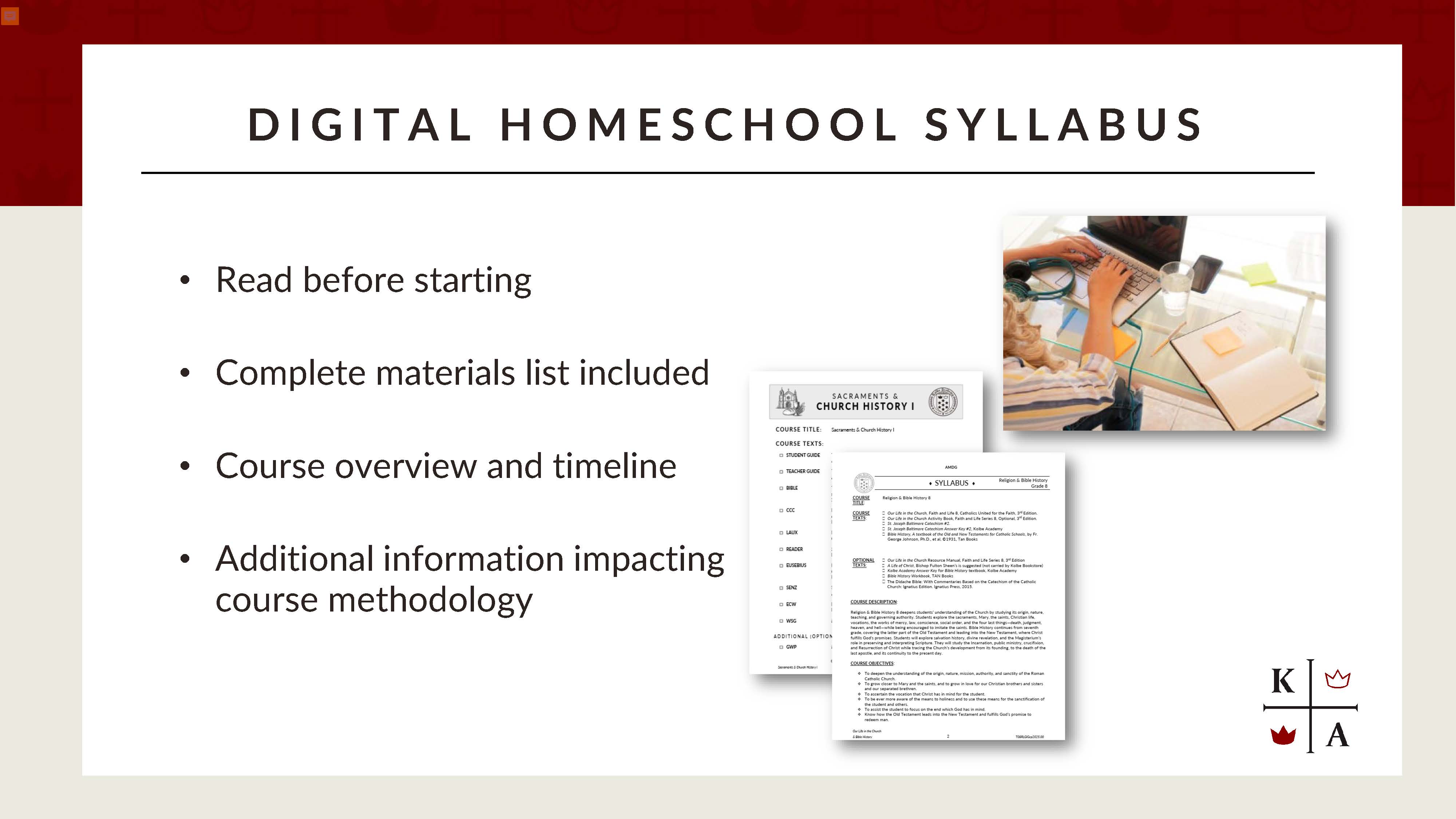
Then explore the corresponding course in Schoology. Open the weekly folders, see what types of resources are available, and consider how you might incorporate them into your homeschool routine.
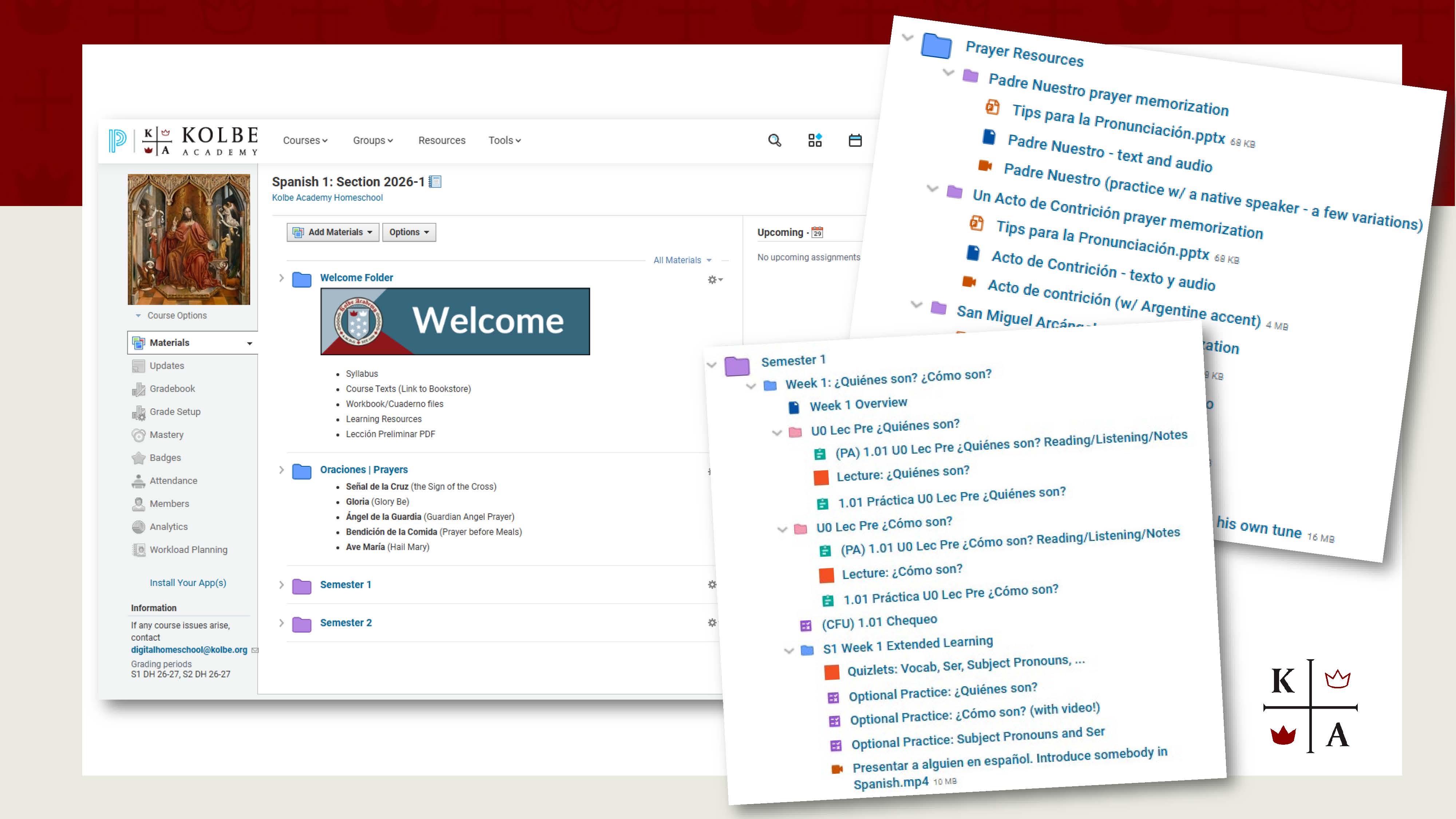
Some families may prefer to review assignments together at the beginning of each week, then let older students work through much of the material independently. Others may use recorded explanations during daily lessons or save learning checks for review.
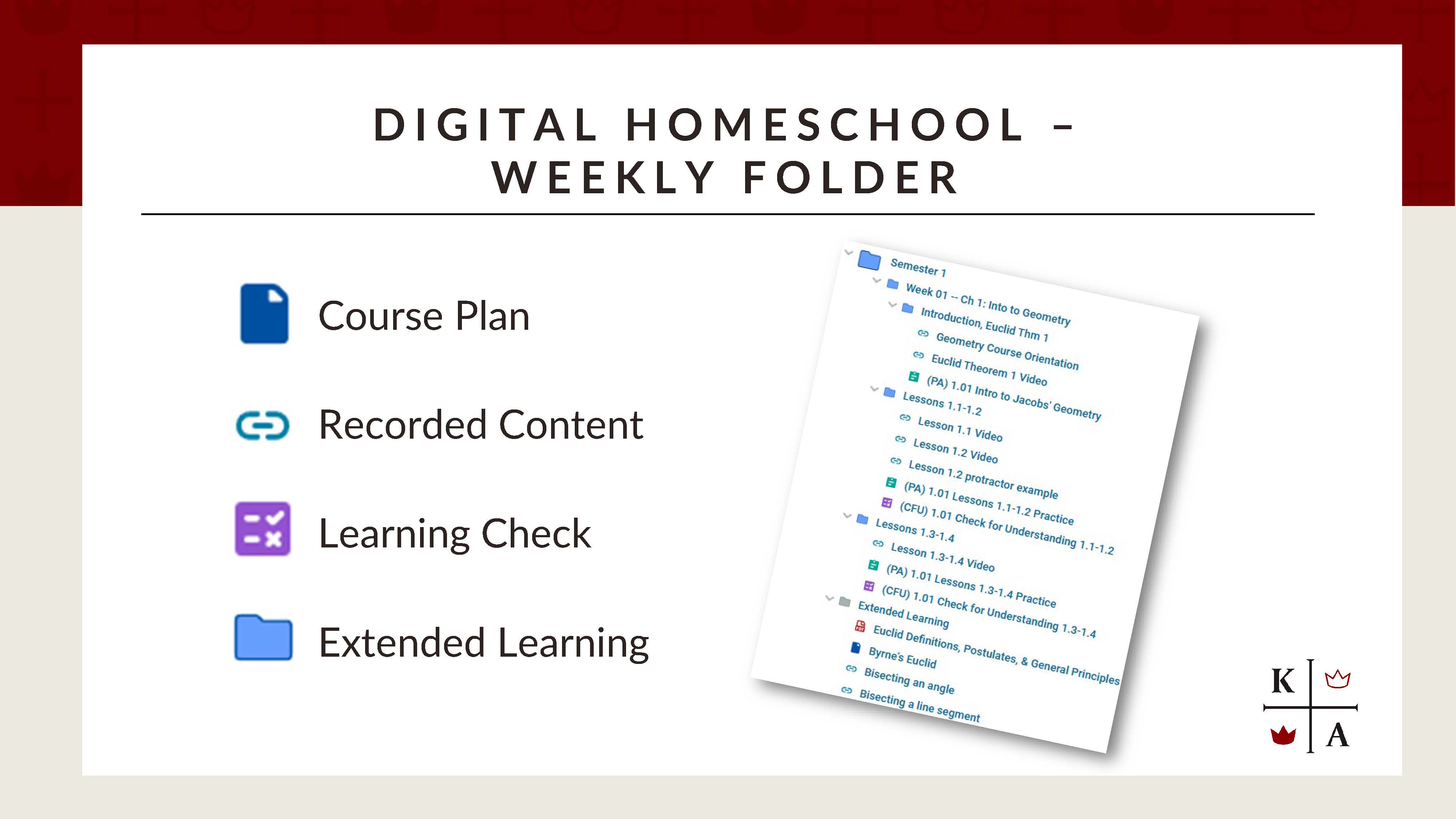
You don't need an elaborate system. The goal is to make the resources work for you rather than adding another layer of work to your day. And as your child grows in confidence and independence, your approach can grow with them.
Which Format Is Right for Your Family?
There's no single format that works best for every homeschool family. Some parents enjoy working directly from a printed course plan, organizing lessons themselves, and keeping materials primarily offline. Others appreciate having coursework organized digitally, with recorded explanations and learning checks available when needed.
Think about your student's age and independence, your comfort with technology, and how your family approaches daily instruction. The right choice is the one that best supports your child's learning and fits your family's needs.
The Bottom Line
Technology can be a wonderful tool for homeschooling, particularly when it makes good teaching resources more accessible. That's the approach behind Kolbe Digital Homeschool. Our course plans continue to provide the academic foundation, grounded in the Catholic faith and classical tradition. Digital resources offer additional opportunities to reinforce concepts, support instruction, and help students take greater responsibility for their work. You remain the one guiding your child's education.
Curious about the Traditional Homeschool foundation behind Digital Homeschool? Start with Part 1 of our series, Your Guide to Kolbe's Homeschool Course Plans: Confidence, Flexibility, and Support.
In Part 3, we'll take you behind the scenes of our curriculum development work and share some of the improvements we're making to Kolbe's course plans.


